Perspectives
Your new user already has a history
Cold-start personalization gets more interesting when consumer apps can learn from the life someone already has.
Someone can spend years developing their taste before downloading a shopping app. They know which secondhand stores are worth crossing town for. They have outfits they return to, pieces they regret buying, and screenshots of things they haven’t quite talked themselves into.
Then they open the app and get asked to choose between “classic,” “bohemian” and “edgy.”
It’s a small, familiar indignity of using software: having to turn yourself into something the onboarding flow can understand.
For product teams, that quiz is a reasonable response to a real problem. There are recommendations to make and no customer history to work from. Popular products are a safe starting point. A few questions might narrow the field. Eventually, clicks and purchases will make the experience more personal.
But the person has to find enough value to stay for “eventually.”
This is the cold-start personalization problem in consumer apps. And an assumption underneath it deserves another look: that a new account means there is nothing useful to know.
The cold start begins at your app’s boundary
A recommendation system sees a new user as an empty row. No views, saves, purchases or ratings.
That accurately describes their relationship with your app. It tells you very little about how much relevant history they have elsewhere.
A person trying a recipe app has been eating their whole life. Someone joining an events app may have years of concert videos. A new customer in a fashion marketplace may already have a clearer sense of what they like than your onboarding categories can express.
The information exists across the things they do and keep. The difficult part is making it available, with their permission, in a form your product can use.
This matters beyond the first session, because behavior inside an app is shaped by what the app chooses to show.
If your opening feed is full of minimalist clothing, a click on a black jacket may be the best available choice. It doesn’t tell you whether the person would have preferred a vintage print that never appeared. Your system can become increasingly confident about a preference it helped manufacture.
Outside context gives the product another basis for deciding what to put in front of someone. It can broaden the first set of choices before the feedback loop begins.
What a camera roll adds
A camera roll is interesting because people assemble it for their own reasons.
An outfit photo might be a record of something that worked. A restaurant photo might belong to a recurring Friday dinner. A screenshot might be something to buy, something to remember, or something to send a friend.
These are traces of attention, habit and intention, collected without an app asking someone to describe themselves.
They are also uneven. People photograph holidays more than ordinary Tuesdays. They save things they never buy. The same camera roll can contain what someone loves, what they aspire to, and what they were briefly curious about.
The useful work is interpreting that history in relation to a specific product decision.
For a fashion app, repeated outfit choices may help decide which styles to surface. For an events app, concert memories may offer a starting point for discovery. For a food app, meals someone repeatedly photographs may suggest recipes worth showing first.
This is why we’re building Rollup. Our SDK lets consumer apps use camera-roll context, with permission, to make experiences relevant earlier. The app defines what it needs to learn; Rollup helps turn the available history into usable context.
The product team still has the most consequential job: deciding what to do with it.
What should actually change on day one?
Consider a hypothetical secondhand fashion app.
Its default home screen has trending items, new arrivals and popular sellers. A new customer opts into using her photos to personalize the experience. Her available history includes repeated vintage shopping, several saved crochet bags and photos from live shows.
A useful first session might look like this:
| Available context | A useful product response |
|---|---|
| Repeated vintage shopping and outfits | Bring relevant vintage pieces into the opening selection |
| Several saved crochet bags | Offer similar pieces, with an easy way to say she’s no longer looking |
| Photos from live shows | Try a smaller edit of outfits for nights out, then learn whether it resonates |
| No reliable information about size | Ask directly before filtering out inventory |
- Trending
- New arrivals
- Popular sellers
- Choose your size
 Vintage picksRepeated vintage shopping and outfit photos
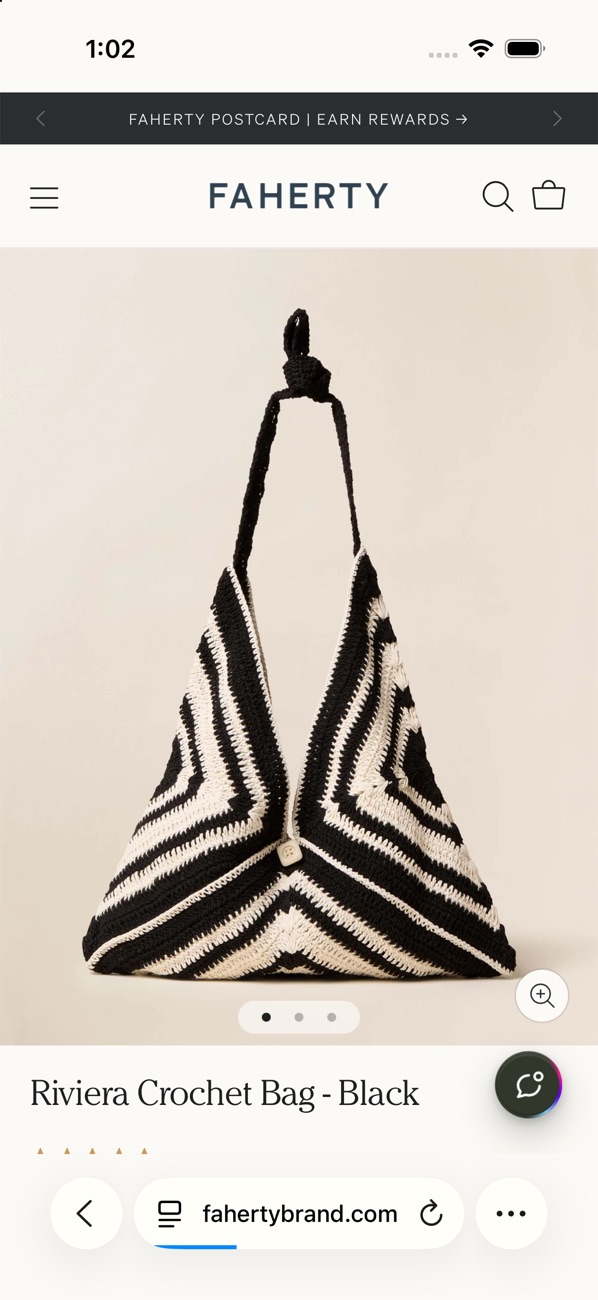 Similar to your saved bagsSeveral saved crochet bags, with an easy way to say she’s no longer looking
 A smaller going-out editPhotos from live shows, a more indirect clue
- Choose your size
She suppliesHer size, her budget for this purchase, and what today’s shopping is for.
Each signal earns a different amount of influence.
Repeated clothing choices are closely related to what this app is helping her do. Concert attendance is a more indirect clue. A saved bag may be recent shopping intent, but she might already have bought it or saved it for someone else.
That distinction matters commercially. Getting a category slightly wrong is easy to recover from. Quietly filtering out half the catalog because the system guessed a size is much harder.
Past travel is another good example. Photos from Lisbon can establish that someone has been there. They don’t establish that she’s going back next weekend or needs a new holiday wardrobe. The strongest personalization often comes from combining history with one small piece of current information: “Shopping for a trip?”
Context should help the app ask a better question as well as make a better recommendation.
Better context should mean less work for the user
Onboarding asks people to do a surprising amount of translation.
Someone has to turn the clothes they wear into a style label, the meals they enjoy into cuisine preferences, or the places they visit into a traveler type. Then your product has to translate those labels back into actual recommendations.
Something gets lost in both directions.
If the app can start with relevant examples, the conversation becomes more concrete. “More like this?” is easier to answer than “Describe your aesthetic.” “Still looking for a bag?” is more useful than asking someone to select every product category they might someday buy.
There are still questions worth asking. Size. Budget for this purchase. Who the gift is for. Whether tonight calls for something familiar or something different.
Those answers describe the decision someone is making now. Their history helps interpret the answer without forcing them to supply all the background again.
The same principle should apply when the app gets something wrong. If someone says a recommendation isn’t for them, that correction should outweigh an earlier inference. They shouldn’t have to keep arguing with a profile built from their past.
A personal experience leaves room for a person to change.
Permission needs a clear reason
Access to a camera roll is a meaningful request. The value should be understandable at the moment you ask.
“Use your outfit photos to help find pieces you’ll like” gives someone a concrete exchange to consider. A generic request to “improve your experience” asks them to trust a benefit they haven’t seen.
Make the choice optional, explain what happens to the information, and keep the ordinary product useful for people who decline.
For Rollup, the technical distinction is specific: photos, videos and the index stay on the iPhone. Local search runs on the device. The query and profile features send derived text to Rollup and its AI provider to produce their responses. Apps need to explain that processing and get permission before using those features. The privacy guide covers the implementation.
That explanation belongs in the product experience. It is part of earning the access that makes the experience possible.
Measure whether people find value sooner
The test of cold-start personalization is what changes for the person using the app.
Can they find something worth saving sooner? Do they reach a useful recommendation with fewer questions? Does the first session give them a reason to return?
Choose a concrete outcome that fits the product: a saved item, a followed artist, a recipe someone wants to cook. Measure the whole path to it, including the permission request and any wait for context.
If context isn’t ready when the opening screen renders, use it at the next useful moment. A tailored result is worth little if the wait causes someone to leave before seeing it.
For an experiment, randomly assign eligible new users to the existing experience or the experience offering optional context, then compare outcomes across those groups. Comparing only people who grant access with people who don’t can mistake willingness to opt in for the effect of personalization.
The goal is to establish whether the experience earns its extra step.
Give your product a better starting point
Consumer app teams already bring something valuable to personalization: judgment about their category. They know their inventory, their community, and the difference between a plausible recommendation and a good one.
Personal context lets them apply that judgment earlier.
A fashion app can begin with a more relevant selection. An events app can make a more informed introduction. A recipe app can offer something that fits how a person already eats, then learn what they’d like to try next.
There is still plenty to discover through using the product. But the first session can begin with enough understanding to make that discovery worthwhile.
Your new user already has a history. Give them a reason to believe it counts.
Sources
- Rollup docs: Privacy and App ReviewWhat stays on the iPhone, what query and profile send, the disclosure an app shows before using them.
- Rollup Privacy Policy, version 2.1Effective October 24, 2026.
- Rollup docs: ProfileHow an app defines the information it requests. SDK 0.3.3.
- Rollup docs: QuickstartGet access, add the SDK, run a first search, query and profile.
Next step
Get access, add the SDK to your iOS app, and run a first profile against the product you already have.